


Your website isn’t just a place to “list products.” It’s your most important sales asset. When shoppers search on Google (or discover you through social), your Shopify store is often the first place they evaluate trust, value, and credibility. If the experience feels confusing, slow, or generic, they bounce—often to a competitor.
The good news is that store design isn’t about expensive visuals. It’s about making the buying journey simple and confidence-building. In this guide, we’ll cover four essentials you should never skip when designing a store on Shopify: choosing the right theme, optimizing user experience, improving page speed, and expressing your brand identity—without turning your store into a “template clone.”

1) Choose a Theme That Fits Your Store (Not Just One That Looks Pretty)
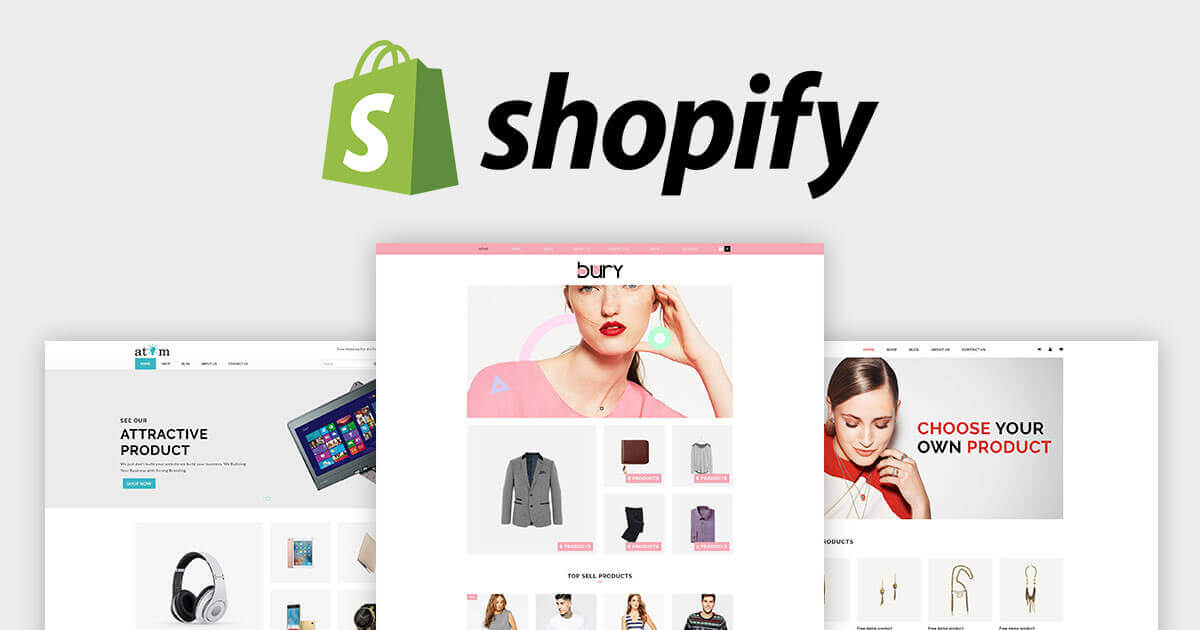
Most Shopify store owners start the same way: they pick a theme based on a demo screenshot. Big hero image. Nice typography. Cool animations. Then they launch and realize the theme doesn’t support their actual business needs.
The right mindset is: choose for functionality first, then style.
Start with a “must-have features” list
Before you choose a theme, write down your non-negotiables. Examples:
- mega menu or simple navigation (depending on catalog size)
- collection filters (essential for larger catalogs)
- product image zoom and media gallery layout
- quick-add to cart and variant selection clarity
- promotional banner / announcement bar support
- sticky add-to-cart (useful for mobile conversion)
Only after a theme supports your must-have list should you start comparing aesthetics.
Match the theme to your product catalog size
Different themes work for different store sizes:
- One-product or small catalog (under ~10 products): A simple homepage that tells a story and drives to one hero offer can convert best.
- Medium catalog (10–100 products): You need strong collections, clear navigation, and filtering to reduce browsing friction.
- Large catalog (100+ products): Search, filters, and category structure become conversion-critical. Without them, customers get lost and bounce.
Consider budget, but optimize for revenue impact
Shopify themes range from free to paid. Free themes can be excellent for early-stage stores, especially if your focus is clean UX and strong product pages.
Paid themes often provide more conversion-oriented features and more flexible layouts out of the box. The key is to think like a business owner: if a theme helps you improve conversion by even a small amount, it can pay for itself quickly.
Theme selection is not a “design choice.” It’s a conversion choice.
2) Optimize User Experience (UX) So Shoppers Don’t Feel Overwhelmed
Bad UX doesn’t always look “bad.” Some stores look beautiful but still feel exhausting to use. If a shopper’s eyes jump around the page and they can’t tell what to do next, they leave.
UX is about reducing mental effort. The easier it is to understand your store, the more likely customers are to buy.
Reduce visual clutter
Many stores try to show everything at once: multiple pop-ups, endless banners, too many product carousels, and too many competing CTAs. That creates distraction and reduces conversion.
A simpler layout usually wins:
- one main message per section
- one primary CTA per screen
- clear spacing, short paragraphs, and readable typography
Make navigation “obvious” (not clever)
Good navigation doesn’t impress— it disappears. Shoppers should be able to find what they want in seconds. Practical tips:
- use clear category names (not brand-internal language)
- keep menu depth reasonable (don’t bury products)
- highlight best sellers and “start here” collections
- use search prominently for medium/large catalogs
Guide customers toward the product page
Your product page is your best salesperson. Your homepage should not try to “say everything.” It should guide visitors toward:
- a hero product or hero collection
- best sellers
- category collections
- gift guides or bundles (if relevant)
Cut unnecessary text (30–50% is a good rule)
Ecommerce copywriting should be clear, not long. If a customer has to read too much to understand what you sell, you lose them. Aim for:
- short value statements
- scannable bullet points
- benefit-first headlines
- proof quickly (reviews, guarantees, trust badges)
Design for mobile first
Many Shopify stores still design for desktop and “hope” mobile works. But mobile is where conversion friction shows up fastest: slow load, heavy images, hard variant selection, and too many pop-ups.
Test your store on a phone like a real shopper:
- can you find products in under 10 seconds?
- is the add-to-cart button obvious?
- are images fast and easy to swipe?
- does checkout feel smooth?
3) Optimize Page Speed (Because Every Second Costs Sales)
Speed is not a technical vanity metric. It affects conversion, user experience, and SEO. A slow store creates anxiety: shoppers assume the brand is unreliable, and they leave.
Speed also impacts search rankings: faster sites typically perform better in organic search because they provide a better user experience.

What usually makes Shopify stores slow?
- large, uncompressed images
- too many apps and scripts
- heavy sliders and carousels
- pop-ups stacking multiple tracking tools
- animations that look nice but slow rendering
High-impact speed fixes you can do first
Compress images without destroying quality
Use modern formats when possible and keep image sizes appropriate for the web. Product images should look sharp, but they don’t need to be massive files.
Remove apps you don’t truly need
Many merchants install apps “just in case,” then forget them. Every app can add scripts and slow down your pages. Keep only what supports conversion or operations.
Avoid overusing carousels
Carousels can look premium, but they often slow down load time and reduce clarity. A single strong hero image plus a clean grid of best sellers can convert better.
Audit speed regularly
Don’t wait until sales drop to check speed. Make speed testing a monthly habit. If your store grows and you add apps, speed can degrade without you noticing.
Speed optimization is one of the few improvements that benefits everything at once: conversion, SEO, customer trust, and repeat purchases.
4) Make Your Store Look Like Your Brand (Not a Theme Demo)
Shopify themes are powerful, but they come with a risk: many stores can end up looking the same. If your store feels like a generic template, your brand becomes less memorable—and price competition becomes harder to avoid.
Your goal is not to “custom design everything.” Your goal is to express brand identity through a few high-leverage elements.
Use original visuals whenever possible
Photography and creative assets do more for brand identity than theme choice. Even if you use a common theme, your store will look unique if your imagery is unique.
Practical visual upgrades:
- consistent product photography style (lighting, background, framing)
- lifestyle shots that show how products are used
- simple brand graphics for banners and icons
- consistent thumbnail style for collections
Write in a brand voice (not generic ecommerce copy)
Brand voice creates emotional connection. Your copy should reflect who you are:
- friendly and playful
- premium and minimal
- scientific and trustworthy
- bold and energetic
Where voice matters most:
- homepage headline
- product page benefit bullets
- about page story
- shipping/returns explanations
Personalize the theme settings (use what Shopify already gives you)
You don’t need a custom build to stand out. Most Shopify themes let you customize:
- logo
- color palette
- typography
- button styles
- spacing and section structure
- product grid layout
Many stores ignore these settings and keep the default. That’s a missed opportunity.
Create “trust design” (so customers feel safe buying)
Brand identity is not only aesthetic. Trust is design too. Add trust signals in places where customers hesitate:
- shipping and return clarity near add-to-cart
- review highlights on product pages
- payment icons at checkout
- FAQ sections for objections
When trust is designed into the experience, conversion improves without needing aggressive sales tactics.
A Quick Shopify Store Design Checklist
- Theme fit: supports your catalog size and must-have features
- Navigation clarity: customers can find products in seconds
- Homepage focus: one clear path to best sellers or hero collection
- Product page strength: benefits, proof, images, and policies are clear
- Mobile-first UX: fast, readable, easy to add-to-cart
- Page speed: compressed images, minimal apps, no unnecessary scripts
- Brand identity: original visuals + consistent voice + personalized theme settings
- Trust design: shipping/returns clarity, reviews, secure checkout signals
Conclusion
Designing a Shopify store is not about making something “pretty.” It’s about making something that sells. The stores that win are the ones that choose a theme based on real needs, simplify UX so customers don’t feel overwhelmed, optimize speed so shopping feels effortless, and express a clear brand identity that customers remember.
Making good sales on Shopify becomes far more sustainable when your store is built for clarity, speed, and trust—then amplified through conversion-focused design improvements, SEO, email automation, social proof, and global expansion that turns first-time visitors into repeat customers over time.


